Free copy and paste text tool
Cute Fonts
Soft, rounded, and decorated styles for aesthetic profiles and friendly captions. Type your text and copy the look you want.
What makes a style read as cute
The cute look comes from a few specific things: rounded letterforms, circled or bubble characters, reduced contrast, generous spacing, and small symbol accents such as stars, hearts, and flowers. Circled letters like ⓐ and bubble letters like 🅐 carry most of the effect.
These come from different Unicode blocks - Enclosed Alphanumerics, Enclosed Alphanumeric Supplement, and Halfwidth and Fullwidth Forms. Support is broad but not universal, and the enclosed blocks are the ones older devices are most likely to miss.
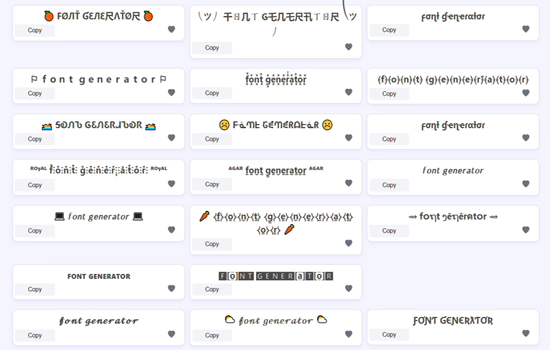
Aesthetic spacing and fullwidth text
The airy fullwidth look uses characters designed for East Asian typography, where Latin letters occupy a full character cell. It is not added whitespace, so it survives fields that collapse repeated spaces.
It roughly doubles apparent width, which is why it fills a line so quickly. In a bio with a character limit, fullwidth costs the same as normal text per letter but consumes far more visual space.
Adding symbols without clutter
Symbols work best as punctuation rather than decoration. One star before a name, or a small divider between two ideas, gives structure. A symbol between every letter removes it.
Emoji and text symbols behave differently. Emoji often count as two characters against a limit and render in colour; text symbols like ✿ and ☆ stay monochrome and match surrounding text better.
Keeping a soft profile usable
Cute styles have the lowest contrast of any group here, so they are the easiest to make unreadable. Style the decorative parts of a profile and keep the functional parts - what you do, where to click, how to reach you - in plain text.
If you use one look across several platforms, pick styles from the widely supported blocks rather than the enclosed ones, so your profile does not turn into empty boxes on someone's older phone.
Quick Reference
| Placement | Recommendation | Why |
|---|---|---|
| Small caps | Very wide support | The safest soft look. Rarely shows as boxes. |
| Light cursive | Wide support | Soft and readable at normal sizes. |
| Circled letters | Moderate support | Older devices may show boxes. |
| Bubble letters | Narrower support | The most likely group to fail on older phones. |
| Fullwidth spacing | Wide support | Survives fields that collapse repeated spaces. |
Frequently Asked Questions
Where can I use cute fonts?
Bios, display names, captions, comments, and messages on any platform that accepts Unicode text.
Are cute fonts free?
Yes. Every style here is free to generate, copy, and paste.
Why do bubble letters show as boxes for some people?
Enclosed alphanumeric characters have narrower device support than bold or cursive, so older devices may lack them.
Does fullwidth text use extra spaces?
No. Each character is a distinct fullwidth code point, so it survives fields that strip repeated spaces.
Should I use emoji or text symbols?
Text symbols match surrounding text and stay monochrome. Emoji render in colour and often cost two characters against a limit.
Related Tools
Browse every style on the main font generator, or jump to a specific look:
Last reviewed: